Live interactive demo

Stop opening Canva for every product image.

Image Studio Pro gives your Filament team a full canvas editor, shared asset library, brand kits, and approval workflow — right in the admin panel. No tab-switching. No manual downloads. No design handoffs.

No more tab-switching

Design, approve, and publish inside the same Filament workflow your team already uses.

Always on-brand

Lock in layouts, fonts, colours, and brand kits so every teammate ships consistent assets.

Built for real products

Attach images to records, campaigns, tenants, and media workflows. No manual exports.
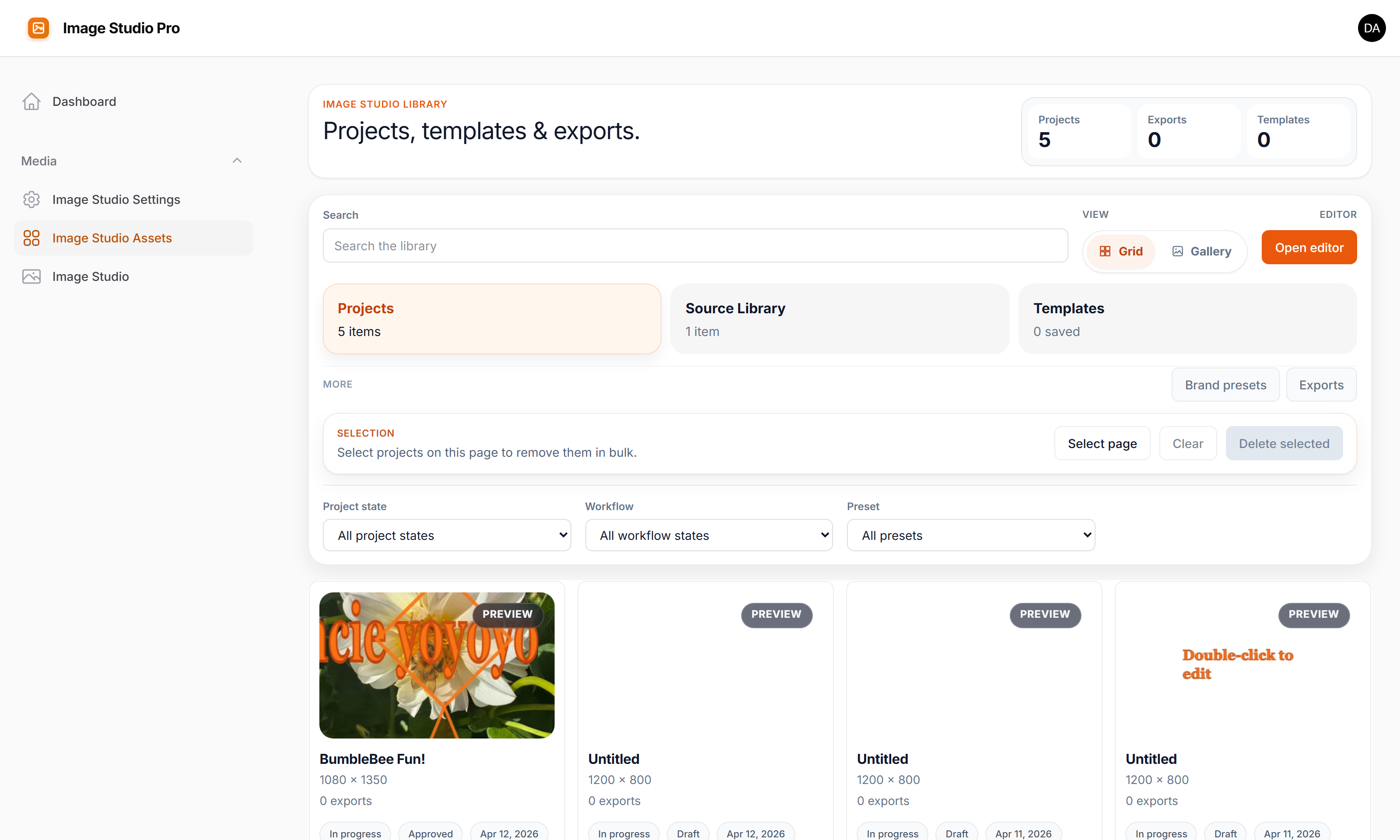
filament-demo.localhost / creative-studio / assets
Image Studio Pro asset library
Canvas Editor Asset Library Reusable Layouts Brand Kits Render Exports Undo / Redo Autosave Team Approvals Pan/Zoom Viewer Image Compare Gallery Viewer Tenancy-Ready
How it works

From source image to production asset in three steps.

Reduce approval loops, remove manual exports, and keep your content workflow where your operators already work.

01

Start from real assets

Browse approved source images or upload new ones straight into the workflow your content team already uses. Indexed S3 and R2 browsing keeps large libraries practical.

02

Turn them into campaigns

Apply reusable layouts, swap in brand kits, add overlays and copy, then iterate quickly with autosave and undo/redo while stakeholders stay in the same system.

03

Publish without rework

Export ready-to-use renders and attach them directly to Filament forms, actions, records, or Media Library flows instead of juggling downloads and uploads.

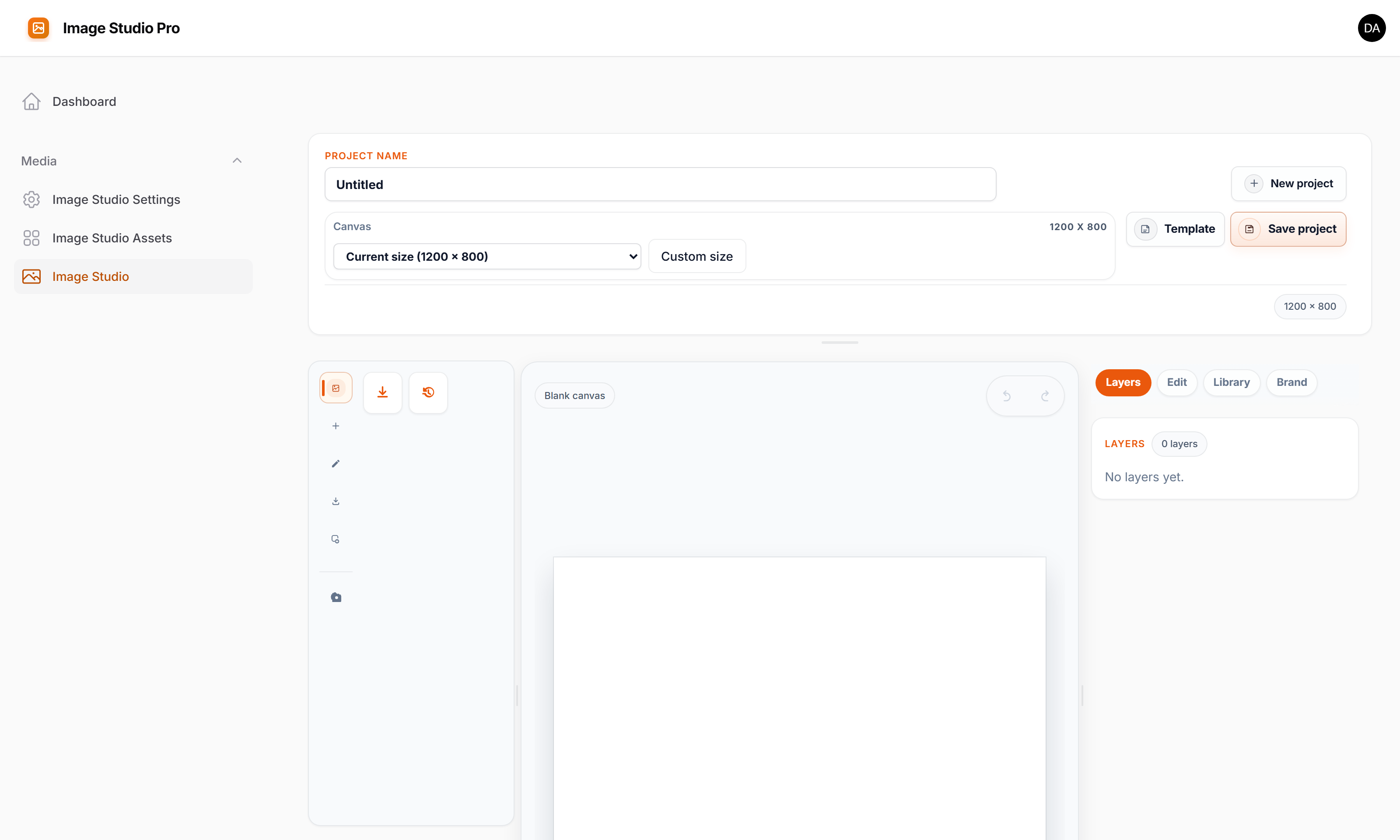
CANVAS ENGINE

Pixel-perfect editing, without leaving Filament.

Swap source images, launch new campaign variants, tweak filters, lock layouts to your brand system, and keep every draft inside the same admin workflow. Undo/redo and autosave make iteration safe enough for non-designers.

  • Launch social, product, ad, and campaign variants from one canvas
  • Filters, cropping, guides, overlays, text, and annotation controls
  • Undo / redo, autosave, and reusable drafts for safer collaboration
  • Thumbnail and full-size render output ready for records and media flows
Try the editor live
filament-demo.localhost / creative-studio
Canvas editor
Features

Everything you need for image production.

A commercial-ready image workflow for teams who need speed, consistency, and tighter integration with their app data.

EDITOR

Campaign-ready canvas

Create product graphics, social posts, paid-ad creatives, and onboarding visuals. Text, shapes, filters, overlays, and smart alignment — all in the admin panel.

ASSET LIBRARY

Shared source library

Separate reusable originals from editable drafts. Indexed S3/R2 browsing keeps growing libraries fast enough for real teams.

LAYOUTS

Reusable layouts

Save headline, badge, CTA, and overlay compositions once, then reuse them across new campaigns in seconds.

BRAND KITS

Brand control at scale

Store approved fonts, colours, and style tokens so non-designers can ship assets quickly without breaking brand rules.

WORKFLOW

Team approval workflow

Submit assets for review, approve or request changes, track who approved what and when — all without leaving Filament.

VIEWERS

5 built-in viewer components

Pan/zoom viewer, fullscreen lightbox, gallery carousel, image comparison slider, and secure signed-URL viewer. One line of Blade each.

INTEGRATION

Native Filament integration

Launch the studio from form fields and actions, save asset references back to your records, and connect to Spatie Media Library.

TENANCY

Tenant-aware by design

Scope templates, brand kits, and asset browsing per tenant for agencies, SaaS platforms, marketplaces, and multi-brand teams.

filament-demo.localhost / creative-studio / assets
Asset library
ASSET LIBRARY

Every asset, organized and reusable.

Keep source material, editable drafts, and finished renders in one searchable system. Reuse winning creative, move faster on repeat campaigns, and connect assets directly to the records your team manages.

  • Searchable originals, drafts, and final renders
  • Asset links back to Eloquent records and workflows
  • Scales from a small team library to indexed S3/R2 storage
Browse the live library
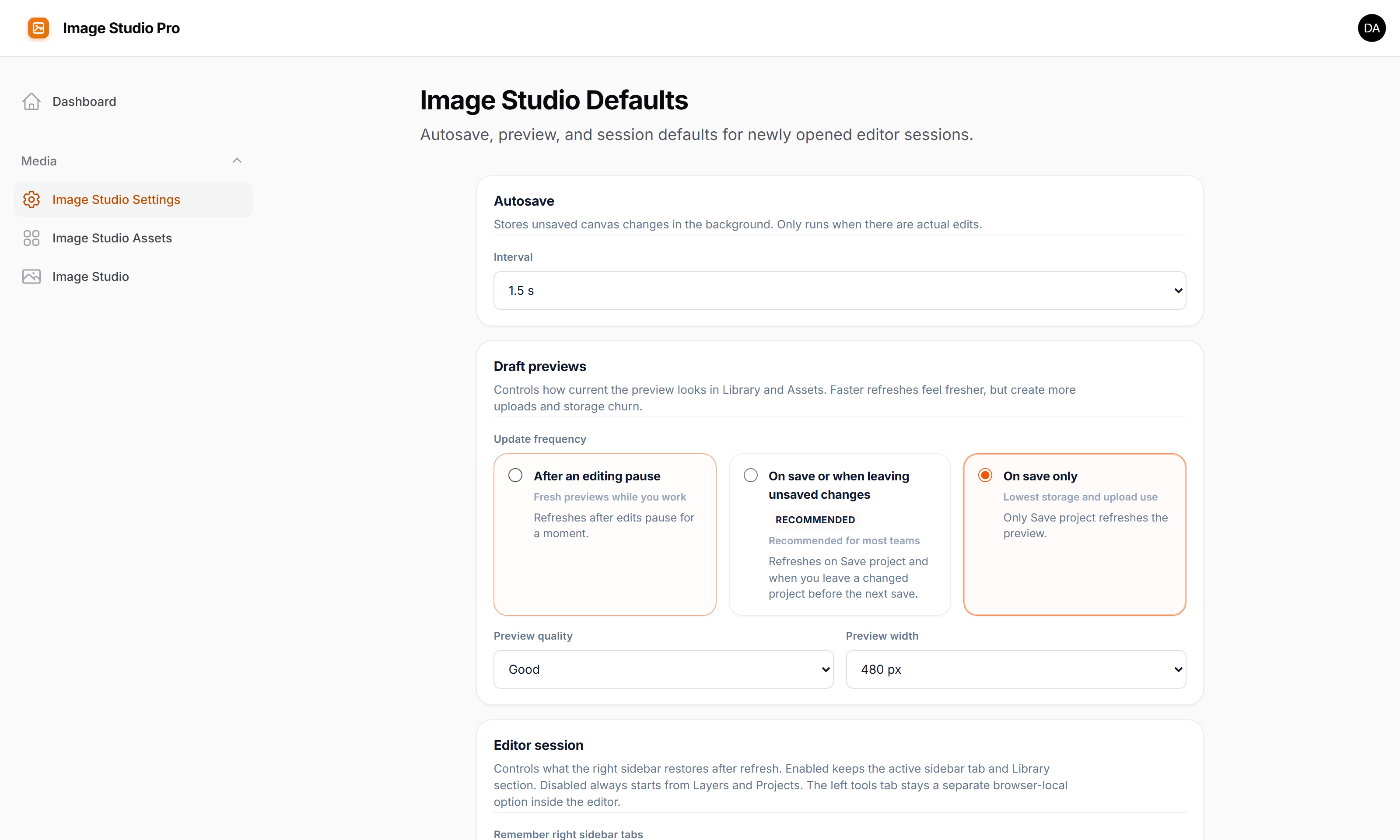
SETTINGS & CONFIG

Configure everything without touching code.

Set default canvas dimensions, configure storage disks, manage brand kits, and control access policies — all from a clean settings page inside your Filament panel.

  • Canvas sizes, disk configuration, and export settings
  • Brand kit management — fonts, colours, and approved assets
  • Fluent PHP config + in-panel UI — no YAML, no separate CMS
See the settings live ↗
filament-demo.localhost / creative-studio / settings
Image Studio settings
WHY BUYERS CARE

A better fit than another disconnected design subscription.

If your team already lives in Filament, Image Studio Pro removes handoffs, shortens approval cycles, and ties your image production process directly to products, campaigns, tenants, and admin data.

For product and content teams

Launch new visuals without waiting on external design tooling, then attach outputs directly to the records that power your app.

For agencies and multi-brand operators

Keep brand kits, tenant scoping, templates, and source libraries organized so one team can support many clients or business units.

For buyers watching ROI

Less context switching, fewer manual exports, and reusable templates mean faster asset production with more consistent output.

Ready to try it yourself?

Log in, open the studio, and create a real asset in the same workflow your team would use in production. This sandbox is fully interactive, so buyers can evaluate the editing flow, reuse model, and integration story instead of clicking through static screenshots.